A Smarter Week Optimizer
T
Tildai
·
September 17, 2026
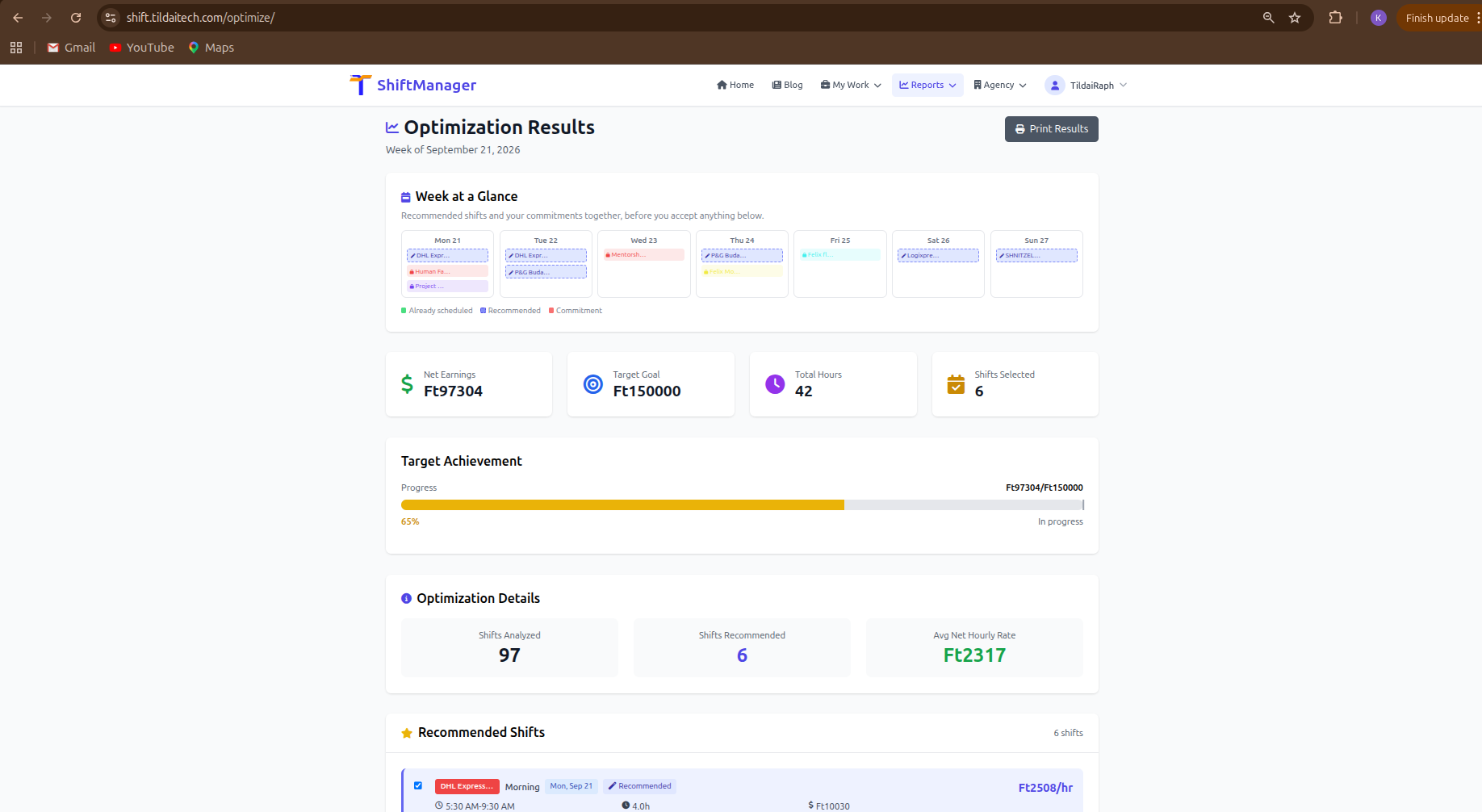
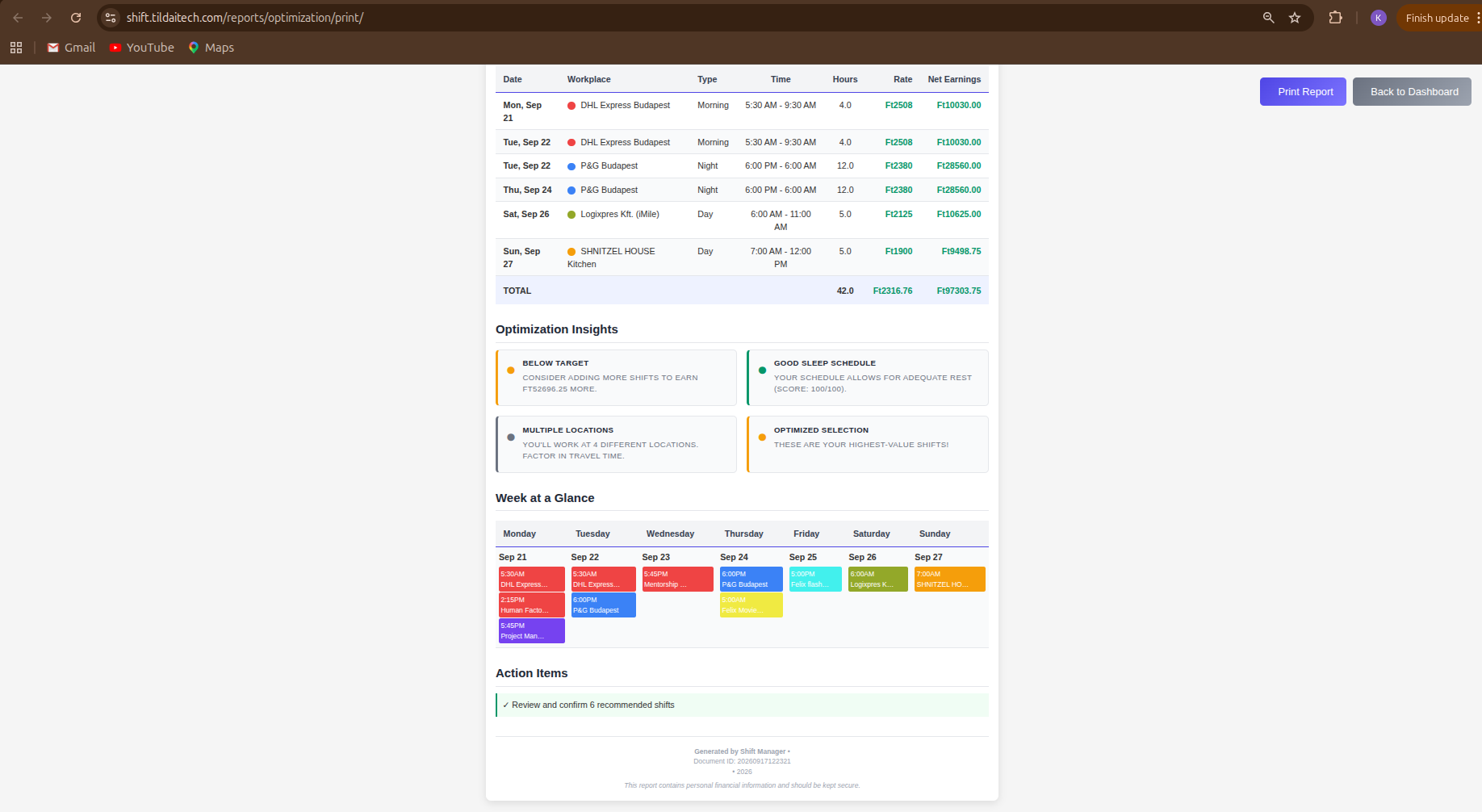
The Week Optimizer picks the best combination of shifts for a given week - ones that fit together without conflicting commitments, without cutting your sleep short, and without impossible back-to-back travel between workplaces. It maximizes rather than just meets your target: it keeps working until it genuinely runs out of hours or feasible shifts, with a second pass that catches combinations a simpler search would miss (the classic case: one big shift blocking two smaller ones that would have earned more together).
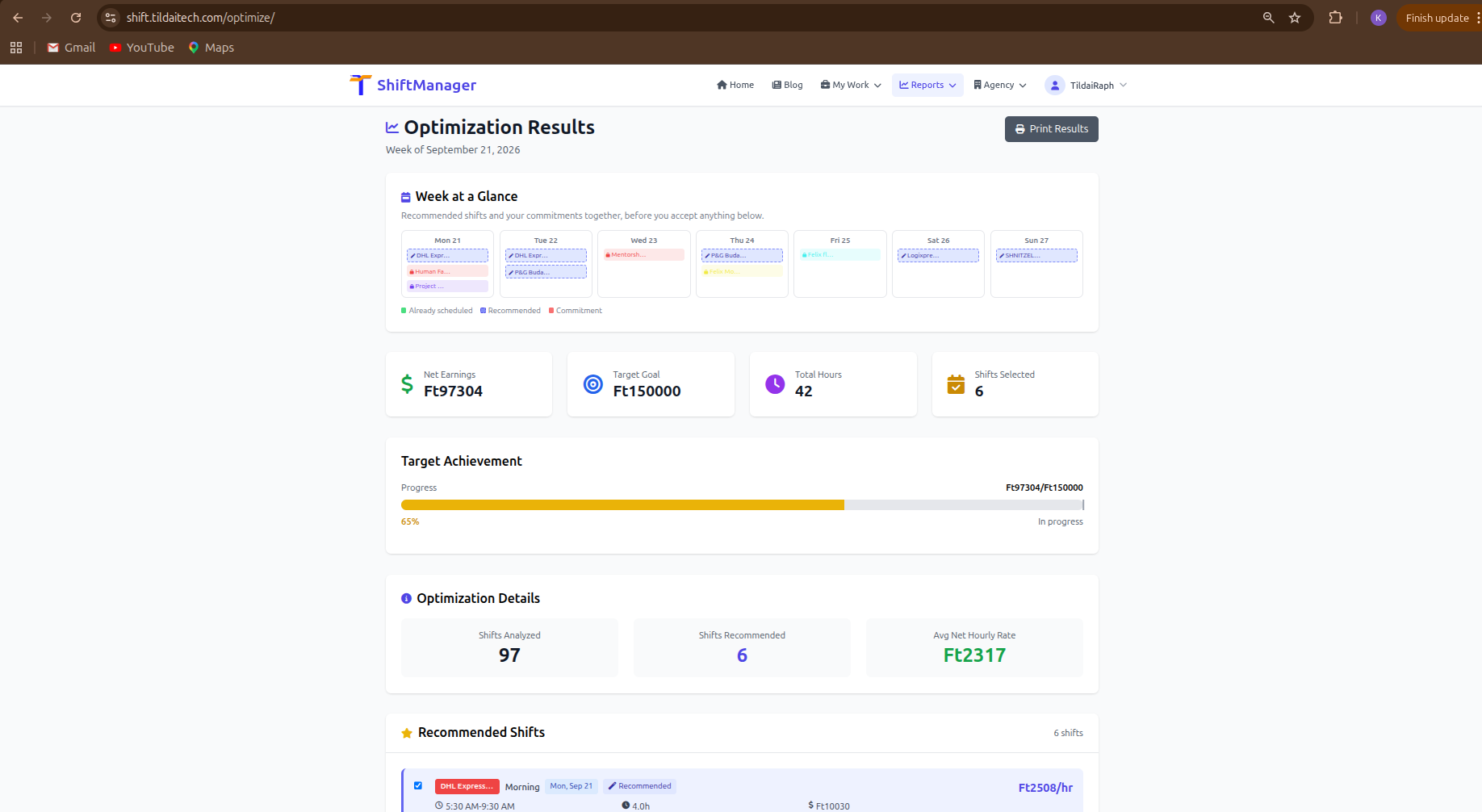
You no longer need to create shifts by hand before running it. The optimizer now generates its own candidates from your Shift Templates - across every workplace you can work at, including agency-managed ones, not just ones you personally own. Add a template once for each workplace (a start time, and either an end time or a flexible range of hours), and it has real recommendations to work with every time you run it.
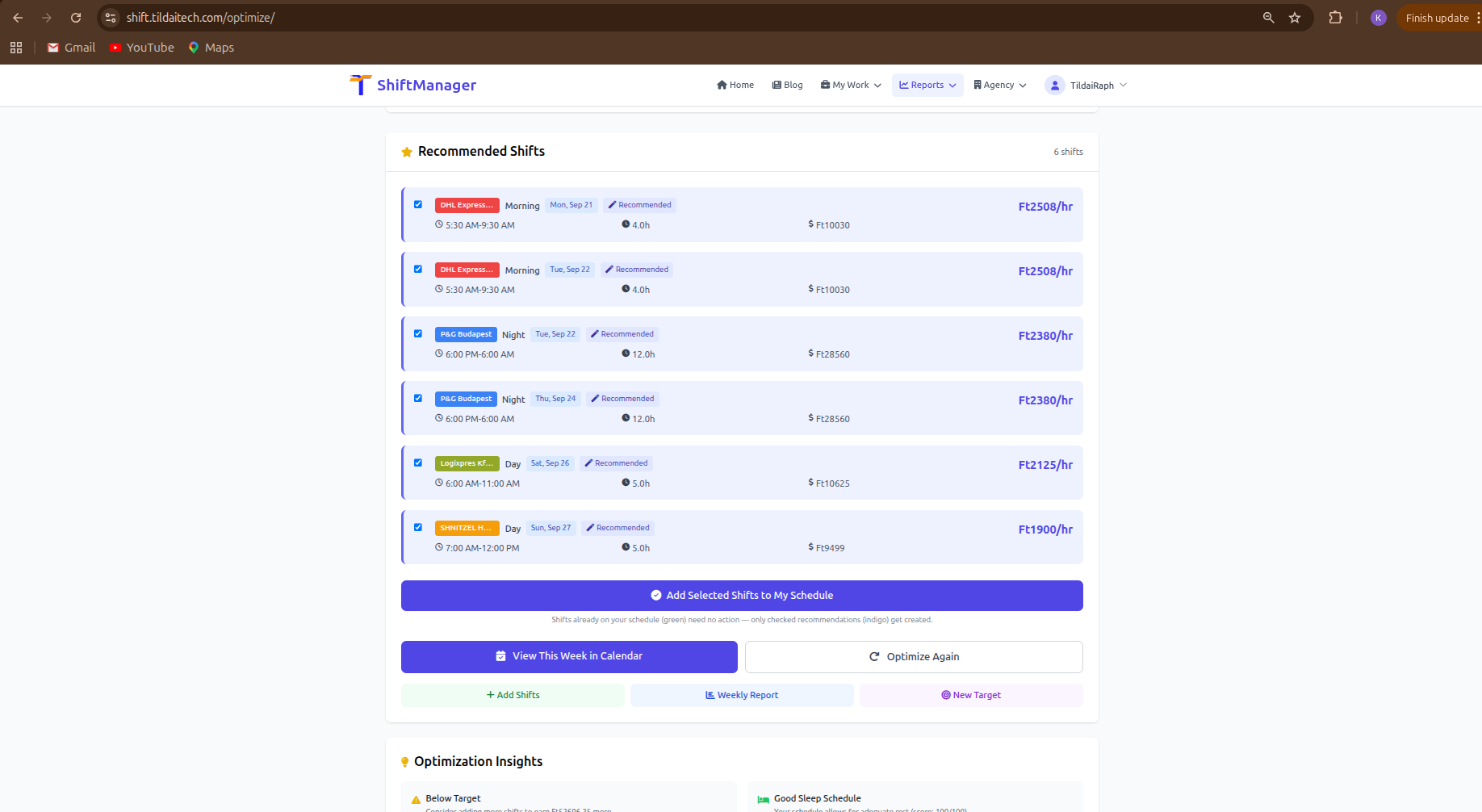
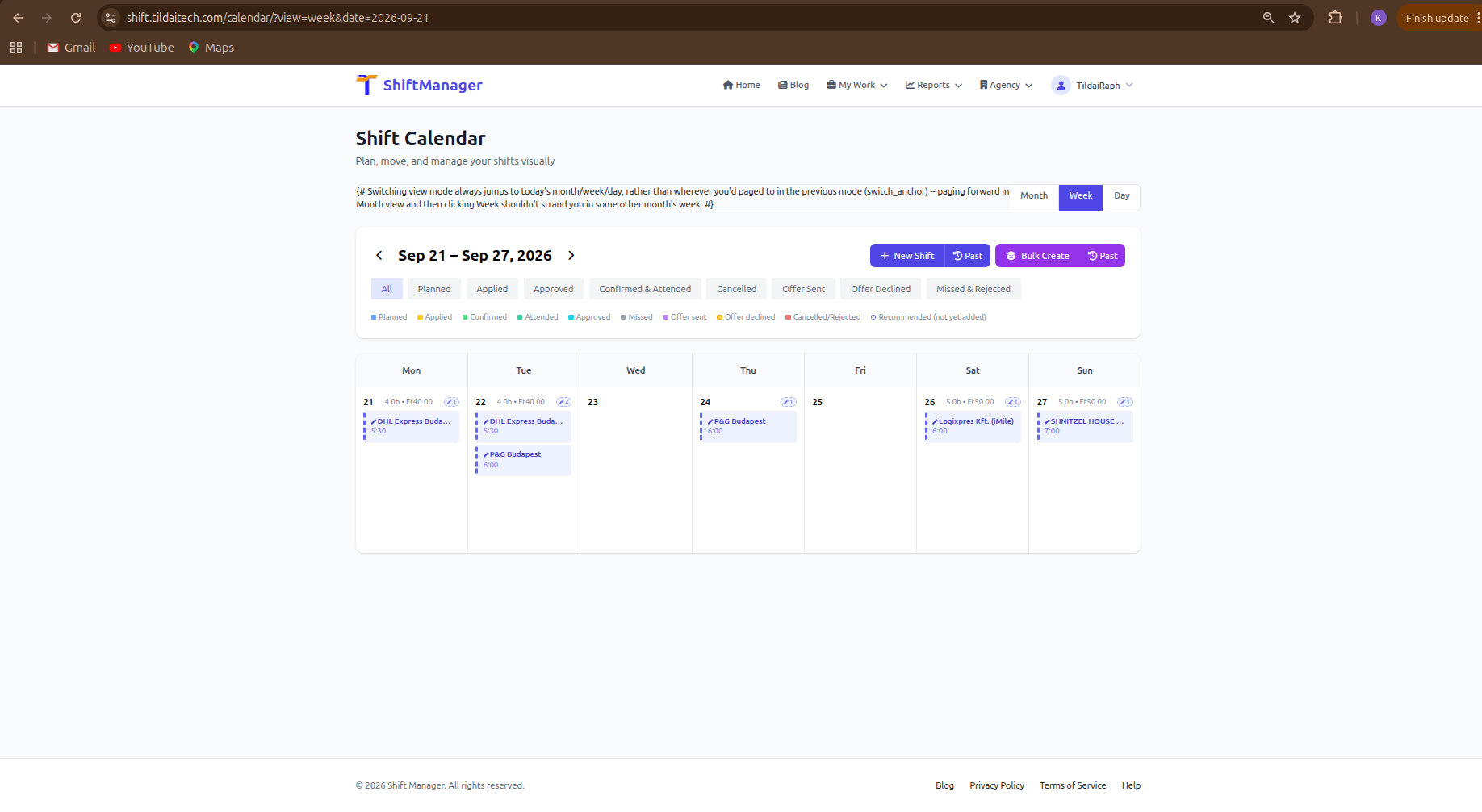
The results page includes a Week at a Glance view - your recommended shifts laid out alongside your existing commitments, so you can see how the whole week looks before accepting anything. Recommendations also show up directly on your calendar, clearly marked as not yet added, so you can check "what would my week look like" without any leap of faith.
If you haven't already, add a Shift Template for each workplace you work at, then head to the Week Optimizer, set your target and constraints as usual, and see what it comes up with. Your target is still shown for reference - but the goal is your maximum, not just your minimum.
Comments