Split Weekend Pay, and Shifts With a Range of Hours
T
Tildai
·
October 05, 2026
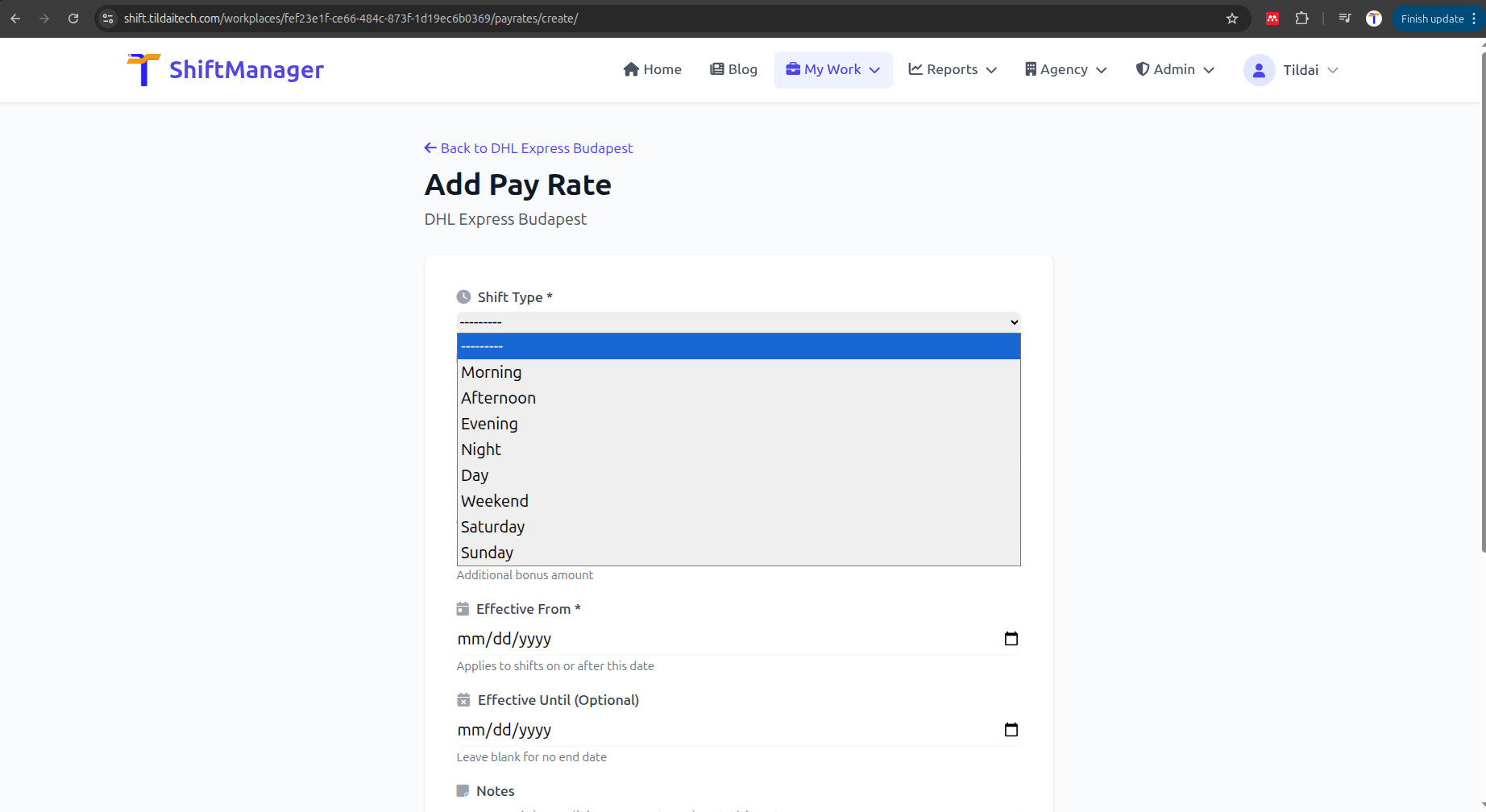
Every workplace's pay rates and Shift Templates just got more flexible, in two specific ways that came up while building the Week Optimizer - but they work everywhere pay rates and templates are used, optimizer or not.
Pay rates used to only offer a single "Weekend" shift type, which meant Saturday and Sunday always had to share one rate even if your workplace actually pays them differently. Saturday and Sunday are now their own shift types with their own rates - set them up like any other pay rate, or keep using "Weekend" if a single shared rate is all you need. Nothing changes for existing weekend rates unless you choose to split them.
Some shifts don't run a fixed length - a warehouse shift might be "starts at 8AM, works somewhere between 8 and 12 hours" depending on the day. Shift Templates can now be marked as flexible duration: set a start time and a minimum/maximum number of hours instead of a fixed end time.
This isn't just for display - the Week Optimizer uses it directly, trying each possible length for a flexible template and picking whichever fits best alongside everything else in your week.
Add or edit a pay rate from your Pay Rates page and pick Saturday or Sunday directly. To try flexible-duration shifts, edit or create a Shift Template and check "Flexible duration" instead of setting a fixed end time.
Comments