Know What Every Shift Earned - Workplace Earnings Reports
T
Tildai
·
October 03, 2026
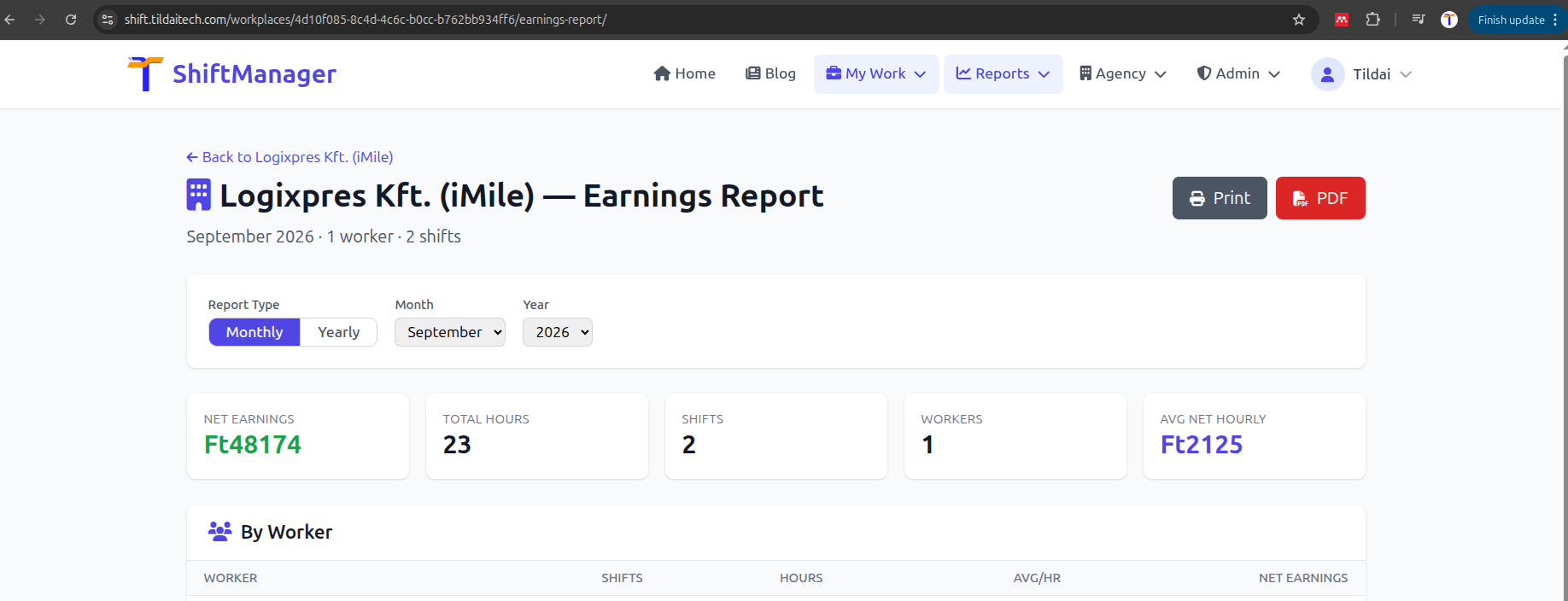
Until now, earnings reports in ShiftManager were built around a single person - your own weekly, monthly, or yearly summary across every workplace you work at. If you run a workplace, though, the question you actually have is the other way round: how much did this site pay out, and to whom, this month? There was no single place to see that.
The new Workplace Earnings Report answers exactly that, for any workplace you own or manage - personal workplaces and agency-managed ones alike.
Every report has a Print view and a one-click PDF download, using the same reporting pipeline that already powers the rest of ShiftManager's reports - handy for payroll records, a quick email to an agency partner, or just keeping a monthly archive.
This is a management-level report by design: it's only visible to a workplace's owner, its workplace managers, or an agency admin managing it - the same tier of access that already governs pay rates and shift approval. Regular assigned workers don't see other people's numbers here, matching how earnings privacy already works everywhere else in the app.
Open any workplace you manage from Workplaces, then look for Earnings Report next to Recent Shifts.
Comments